
DEVELOP ON YOUR IPAD. BUILD ON YOUR MAC. KEEP YOUR PROJECT IN YOUR OWN SYSTEM.
MASCHINE is the project and development hub for iPad. Workspaces connect code, knowledge, notes, sketches and assets with development environments on Mac, Linux and Windows.
Update 1.3.3 / 13.08.2026
### New Toolbox
– New local file processing directly on the iPad.
– Convert, compress, resize, and strip metadata from images.
– Clean up, search, replace, analyze, extract, and convert text to other formats.
– Create, compress, rotate, split, merge, and optimize PDFs.
– Extract text from PDFs, apply OCR, check for sensitive content, and permanently redact it.
– Add watermarks, page numbers, and password protection to PDFs.
– Export PDF content as text, Markdown, CSV, JSON, images, or Office documents.
– Create ZIP archives, extract them securely, and batch-rename the files they contain.
– Read, check, and clean up property lists, and convert them between XML, binary, JSON, YAML, CSV, Markdown, and text.
– Edit audio with native effects and export as WAV or AIFF.
– Inspect, clean up, simplify, scale, and convert 3D models to various formats.
– Processing takes place locally on the iPad.
– Original files remain unchanged.
### Assets
– Redesigned asset library.
– Import from the Photos library and the Files app.
– Files can be dragged and dropped directly into the workspace.
– Improved batch import with a progress bar and the option to cancel.
– Filters for photos, videos, documents, and 3D files.
– Search by filename.
– Sort by date, name, size, or file type.
– New multiple selection for batch actions.
– Expanded information view with file details and available image metadata.
– Assets can be renamed without changing their file extension.
– Clearer error messages for failed imports or actions.
– Assets can be processed directly using the Toolbox via the context menu.
– Toolbox results automatically appear as new assets in the same workspace.
### Knowledge Documentation and Glossary
– Expanded knowledge documents for concepts, guides, tutorials, references, architectural decisions, and workflows.
– Structured content with text, headings, lists, code, notes, quotes, tables, and step-by-step instructions.
– Images can be inserted directly into knowledge documents and managed by MASCHINE.
– References to other documents and workspaces.
– Direct navigation between linked content.
– New page navigation for longer documents.
– Documentation sections with chapters, groups, and tutorial collections.
– Documents can appear in multiple sections without being duplicated.
– Improved management of publication, archiving, and permanent deletion.
– Technical review deadlines and outdated content are highlighted more clearly.
### Code Snippets
– Completely redesigned snippet management.
– Snippets can be searched, filtered, and sorted.
– Filtering by programming language.
– Copy directly to the clipboard.
– Snippets can be edited and duplicated.
– More secure deletion with confirmation.
– Deleted snippets can be restored immediately.
## Mac Agent
### Sending Files from Mac to MASCHINE
– New file storage area in the Mac Agent’s menu bar window.
– Files can be transferred to MASCHINE via drag-and-drop.
– Alternatively, files can be selected via a system file dialog.
– Multiple files can be selected together.
– The files are transferred one after another in their original order.
– The current transfer status is visible directly in the menu bar window.
– The queue is preserved even if the iPad is temporarily disconnected.
– Marked files are not lost when the Mac Agent is restarted.
### Finder Integration
– New Finder Share Extension.
– Files can be sent to MASCHINE via the Share menu.
– Additional integration as a macOS service: “Send to MASCHINE.”
– The file is first securely queued in the Mac Agent and then transferred to the paired iPad.
### Import or Process
– After receiving a file, it can be imported unchanged into a project
Please update to version 1.3.3 Build 322 in the Mac Agent.
01 / PROJECT CONTEXT / IPAD
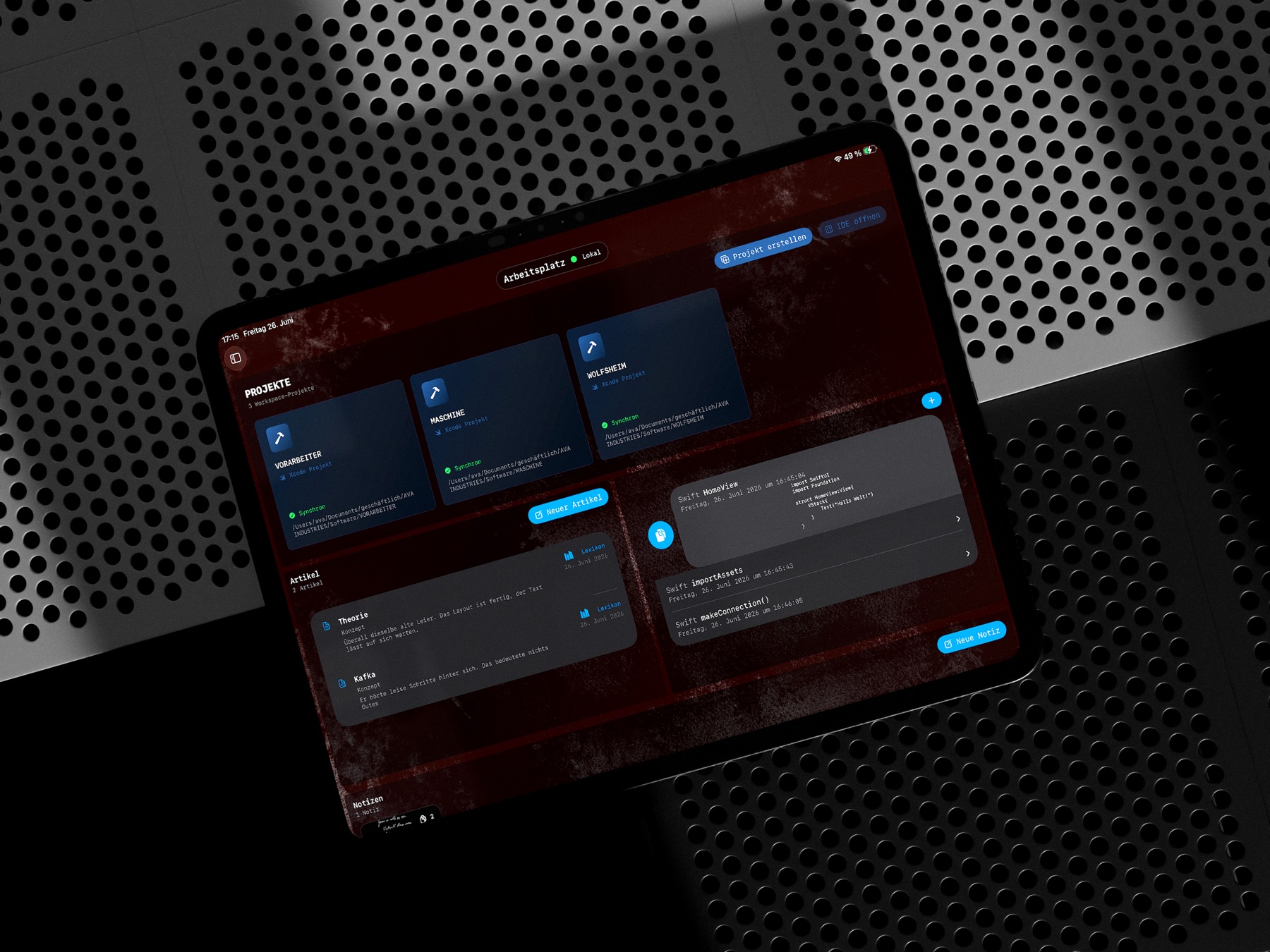
EVERYTHING IN ONE PLACE.
A workspace keeps an entire undertaking together: projects, structured knowledge documents, notes, sketches, code snippets and assets. Technical work and its wider context remain connected.
02 / IDE / MAC AGENT
CODE. BUILD. TEST.
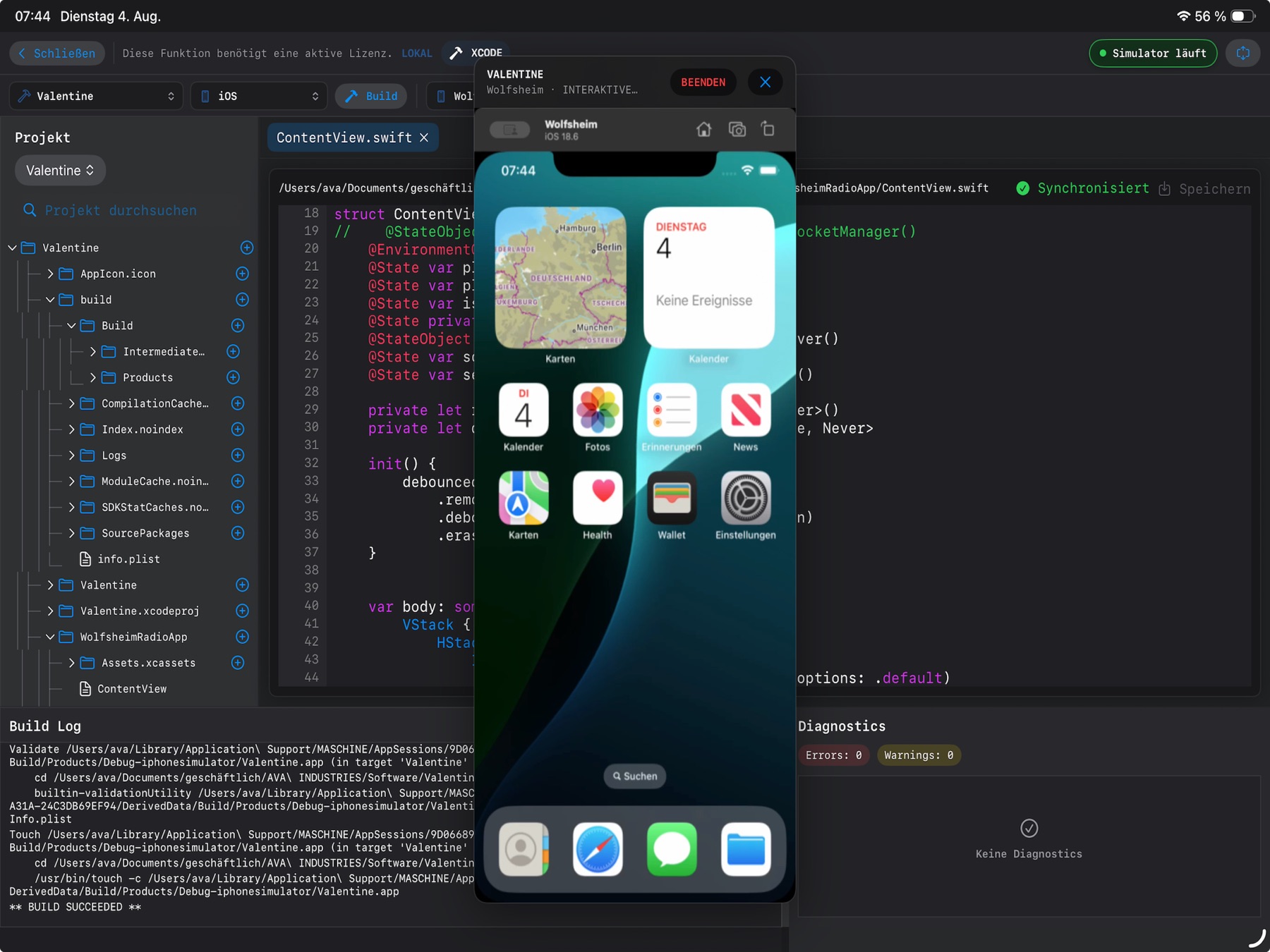
Create SwiftUI, Xcode, Swift Package and Python projects on iPad. The free Mac Agent handles Apple builds and tests on your own Mac. Diagnostics lead directly back to the affected file and line.
Running apps can be opened as interactive previews. The project tree, editor, build output and simulator remain within one workspace.
03 / MACOS + LINUX / TERMINAL
YOUR ENVIRONMENT. YOUR MAC.
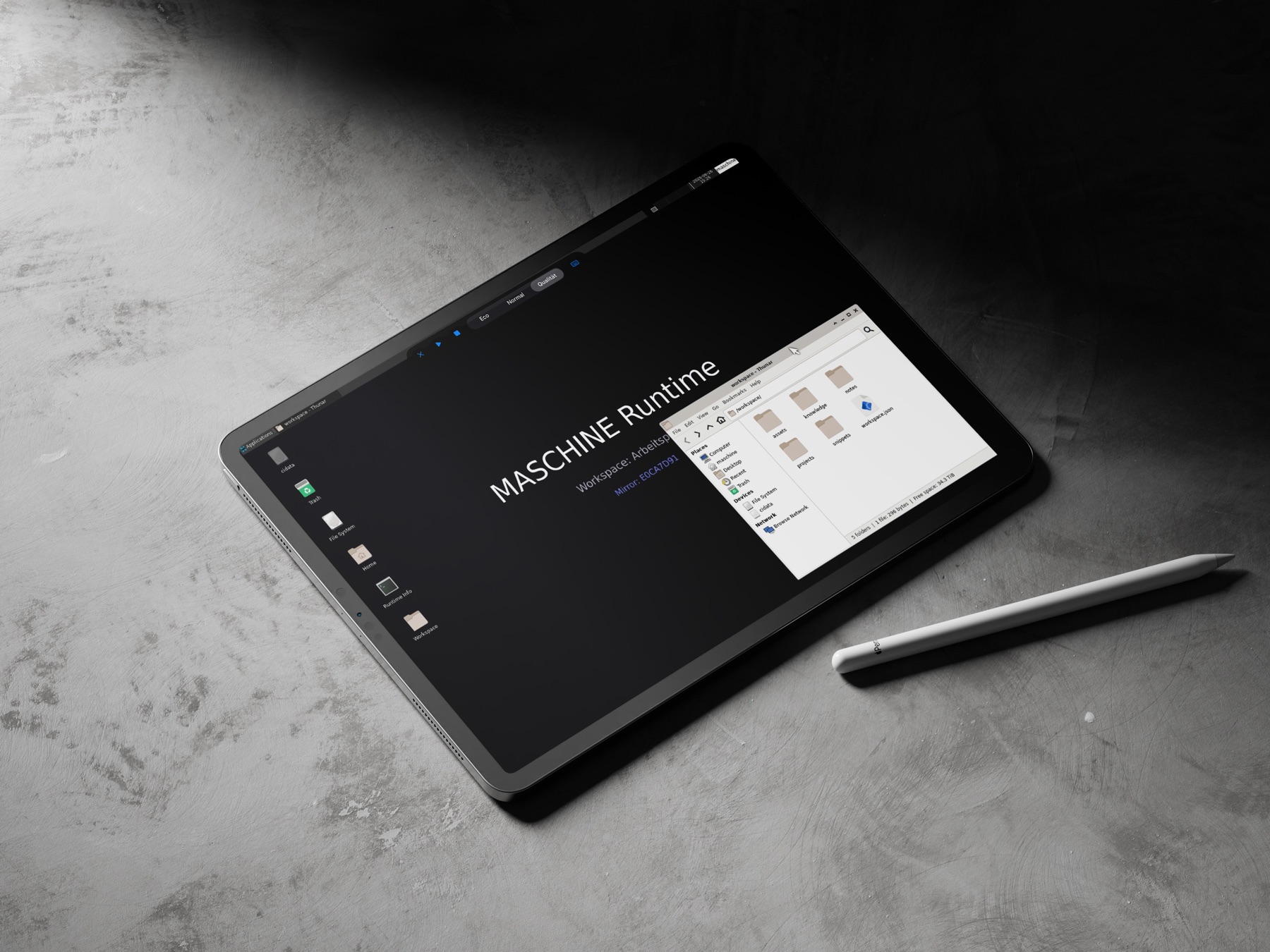
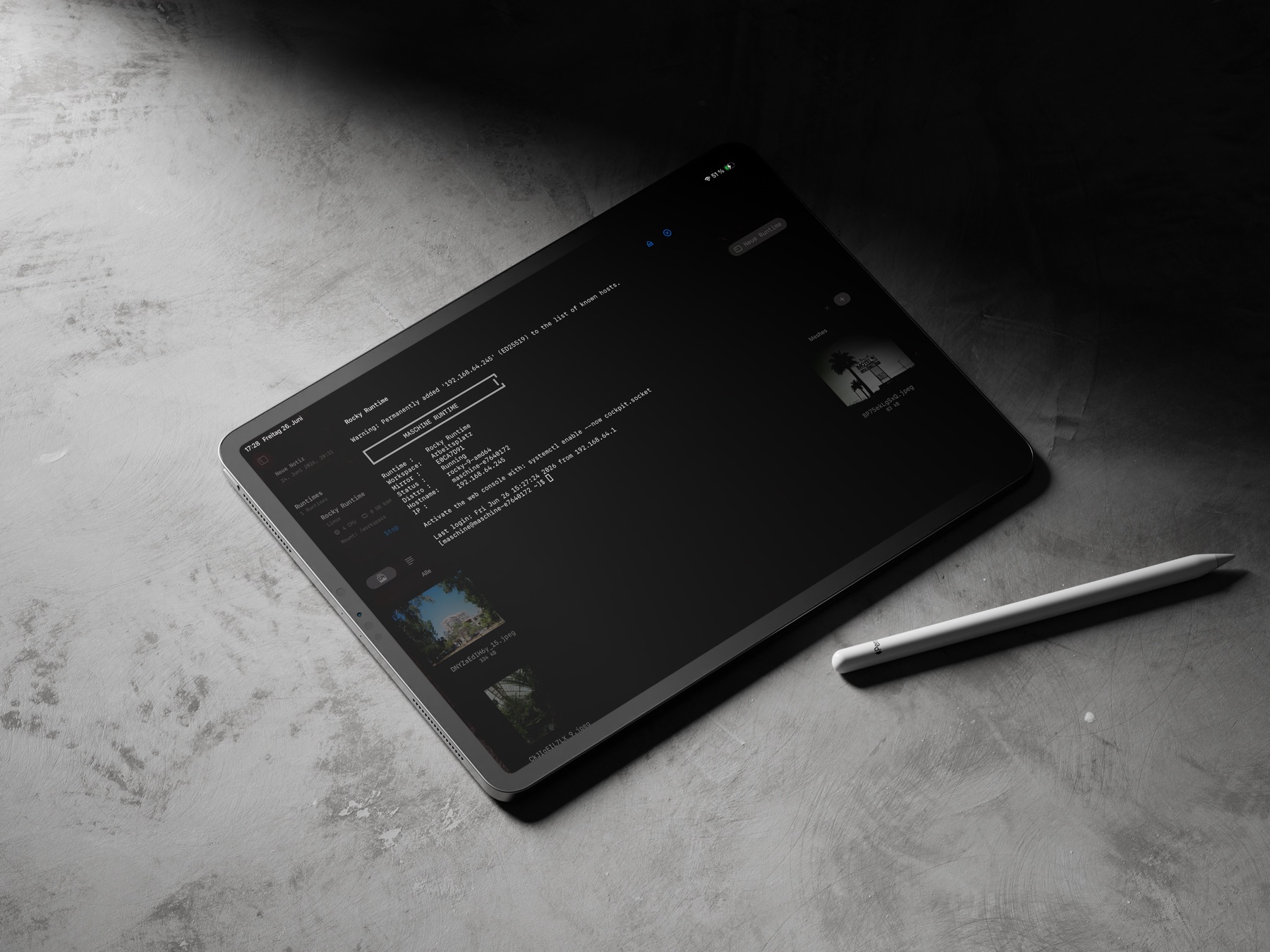
The Mac Agent hosts isolated macOS or Linux runtimes. Verified workspace snapshots, terminal sessions and runtime desktops bring development environments to iPad.
Remote Desktop connects Mac displays, runtime desktops and running apps. Over the internet, Relay brokers encrypted connection data; video and input are transferred directly and securely between iPad and Mac whenever possible.
04 / DOCUMENTATION / LEXICON
KNOWLEDGE THAT STAYS WITH THE PROJECT.
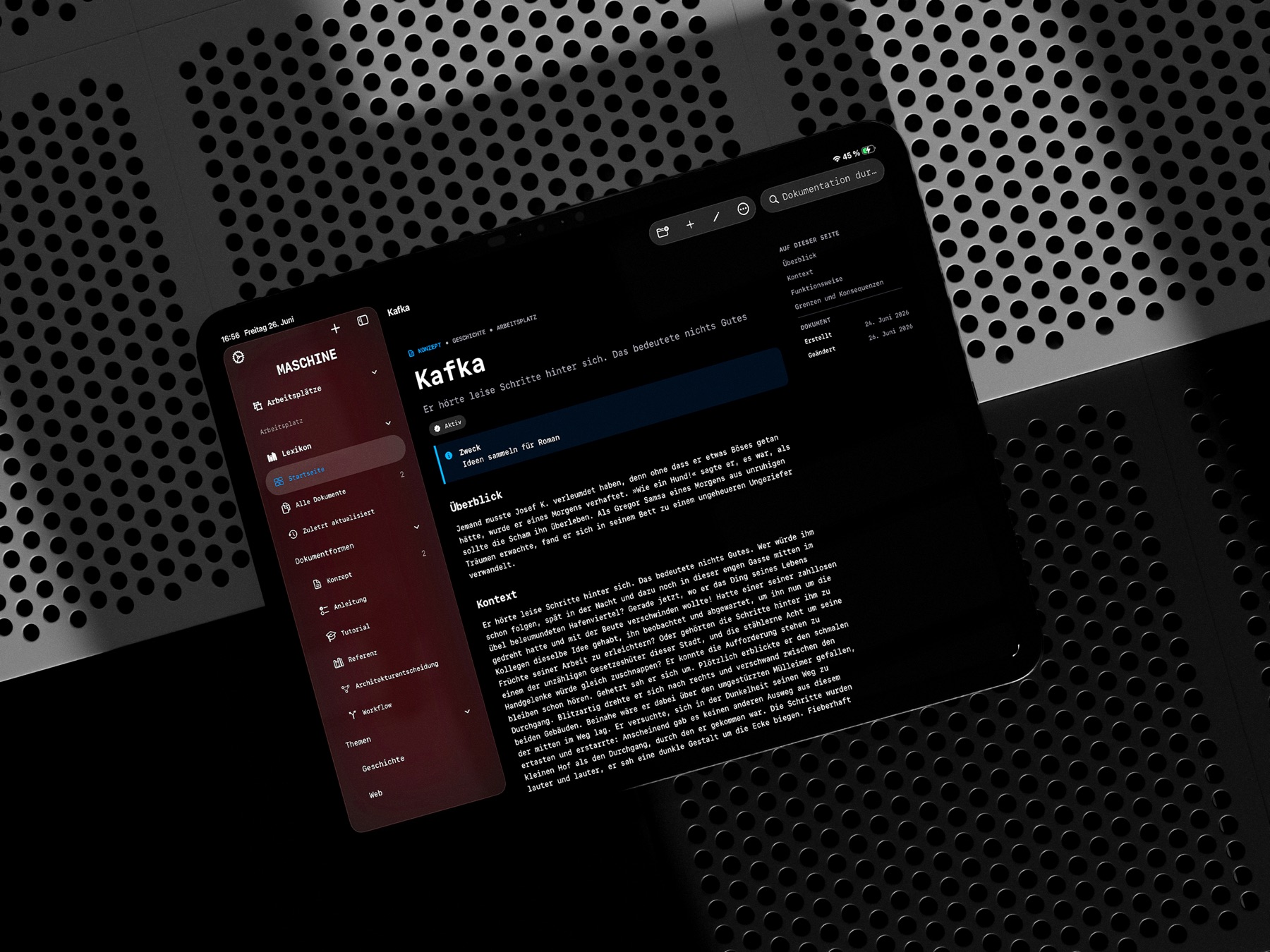
CONCEPTS, GUIDES, TUTORIALS, REFERENCES, ARCHITECTURE DECISIONS AND WORKFLOWS REMAIN CONNECTED TO THEIR WORKSPACE.
05 / IPAD + MAC + WINDOWS
CONNECT YOUR DEVICES.
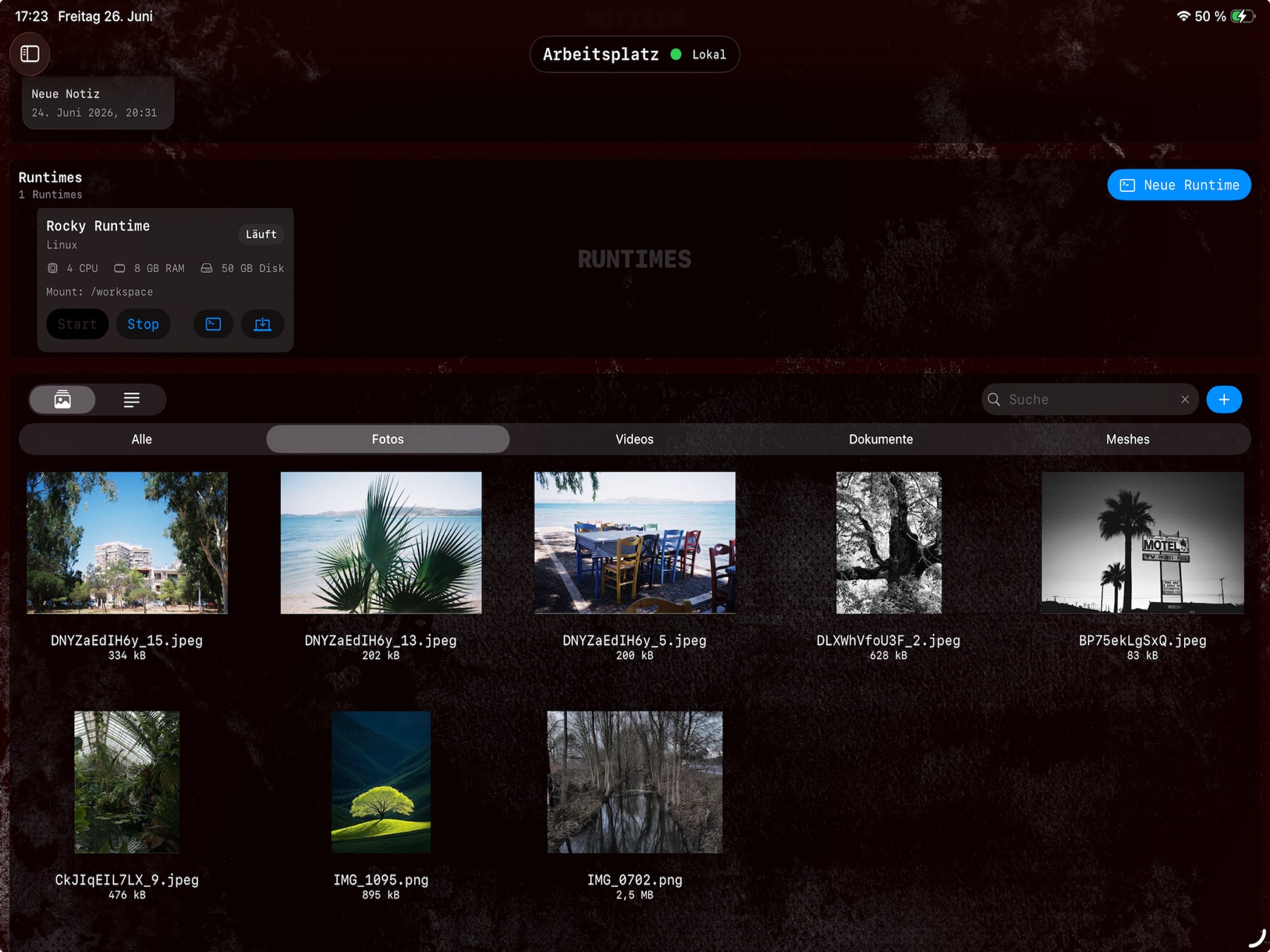
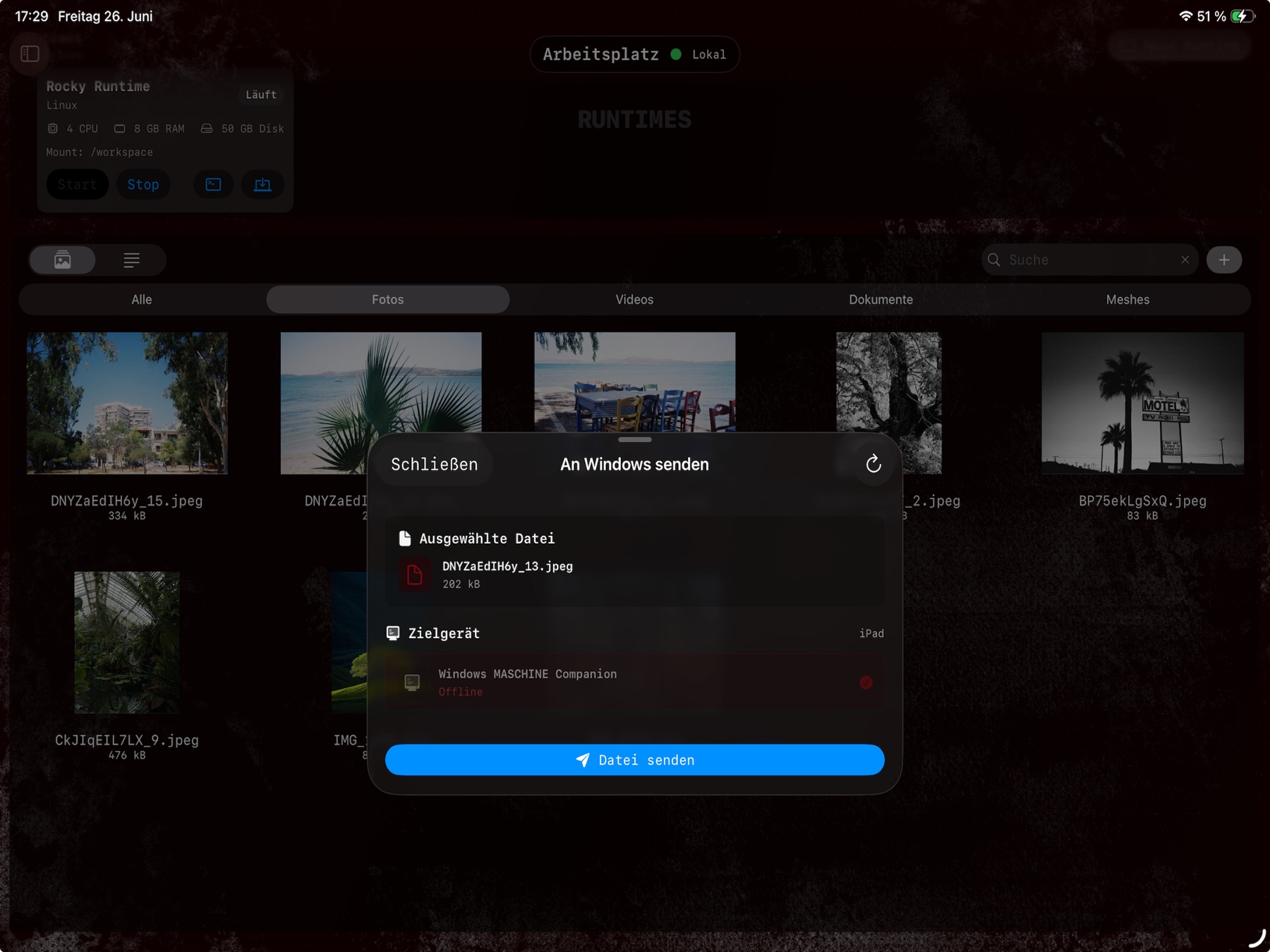
Within the local network, MASCHINE connects iPad with the Mac Agent or Windows Companion app. Assets can be transferred between your own devices and used within the appropriate workspace.
06 / MAC AGENT
MAC AGENT
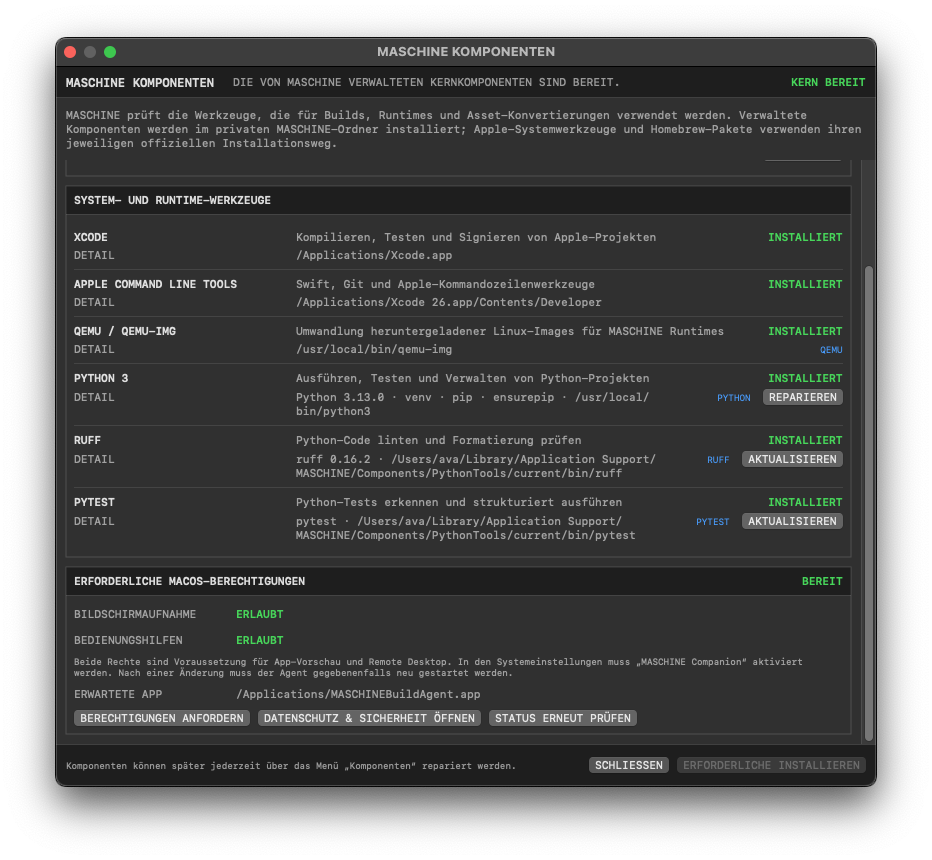
THE MAC AGENT ENABLES PROJECT BUILDS, THE CREATION AND MANAGEMENT OF VIRTUAL MACHINES AND ASSET MANAGEMENT.
ITS EFFICIENT IMPLEMENTATION CAN ALSO STREAM DIFFERENT MAC DISPLAYS AND PROVIDES AN INTERFACE FOR TRANSFERRING YOUR FILES.
USE IT WITHIN YOUR LOCAL NETWORK OR THROUGH A PEER-TO-PEER RELAY WHILE TRAVELLING.
07 / TRIAL + LICENSE
THREE DAYS. ALL FEATURES.
A three-day trial with the complete feature set begins when MASCHINE is opened for the first time. Afterwards, workspaces, documentation and basic organization remain available.
Mac Agent development, builds, runtimes, Remote Desktop, Relay, SFTP and Windows file transfers subsequently require either a monthly subscription or a lifetime license.